Originally published at https://bestlatestapps.com/blog/building-a-tap-to-match-marble-game-with-spritekit-and-swiftui/
A complete walkthrough of the game loop: marbles that settle under real physics, finding touching same-colour clusters, a pause-safe countdown, lives and levels, Lightning, Heart and Bomb power-ups, and particle effects, all hosted in SwiftUI with SpriteView

Every game developer has a "small" game that taught them how games actually work. Mine is Marbles Popperz, a puzzle game where you tap marbles of the same colour to match them and score points before time runs out. It has a lives system, levels that get harder, three power-ups (Lightning Flash, Heart and Bomb) and global leaderboards.
On paper that's a weekend project. In practice it touches nearly every part of a real game: a physics world, hit-testing, a frame-driven clock that has to survive pausing, difficulty tuning, juicy feedback, and a SwiftUI interface laid over a SpriteKit scene.
This article walks through how I'd build each piece with SpriteKit, Apple's 2D game framework. The code is mine, written for this article, and the design choices are labelled as the approach I'd use. Game Center leaderboards get their own article, my Speck Match piece, so here I'll stay on gameplay.
1. Why SpriteKit, and how it fits with SwiftUI
For a 2D casual game on Apple platforms, SpriteKit is the shortest path. It gives you a scene graph (SKScene, SKSpriteNode), actions for animation (SKAction), a built-in physics engine (SKPhysicsBody) and particles (SKEmitterNode), all rendered on the GPU, with no third-party engine to update.
Since iOS 14, SpriteView lets a SwiftUI view host a scene directly. So menus, the HUD and settings can be ordinary SwiftUI, and only the playfield is SpriteKit:
import SwiftUI
import SpriteKit

struct GameScreen: View {
    @StateObject private var state = GameState()
    @State private var scene: MarbleScene = {
        let s = MarbleScene(size: CGSize(width: 390, height: 700))
        s.scaleMode = .resizeFill
        return s
    }()

    var body: some View {
        ZStack(alignment: .top) {
            SpriteView(scene: scene, preferredFramesPerSecond: 60)
                .ignoresSafeArea()
                .onAppear { scene.state = state }

            HUD(score: state.score, lives: state.lives,
                timeLeft: state.timeLeft, level: state.level)
                .padding()
        }
    }
}

@MainActor
final class GameState: ObservableObject {
    @Published var score = 0
    @Published var lives = 3
    @Published var level = 1
    @Published var timeLeft: TimeInterval = 60
    @Published var isGameOver = false
}
The rule I follow: the scene owns the simulation; SwiftUI owns the chrome. The scene writes to a shared GameState, and SwiftUI just renders it. Keep SwiftUI state changes to a few per second, not 60, or you'll pay for view updates every frame.
2. A playfield of marbles that settle under physics
Marbles should behave like marbles. When some pop, the ones above should roll down and fill the gap. Giving each marble a circular physics body, and the scene an edge loop, gets you that for free:
import SpriteKit

enum MarbleColor: CaseIterable { case red, blue, green, yellow, purple }

final class Marble: SKSpriteNode {
    let color: MarbleColor
    static let radius: CGFloat = 22

    init(color: MarbleColor) {
        self.color = color
        let texture = SKTexture(imageNamed: "marble-\(color)")    // from a texture atlas
        super.init(texture: texture, color: .clear,
                   size: CGSize(width: Self.radius * 2, height: Self.radius * 2))
        name = "marble"
        let body = SKPhysicsBody(circleOfRadius: Self.radius)
        body.restitution = 0.2          // a little bounce
        body.friction = 0.3
        body.allowsRotation = true
        physicsBody = body
    }
    required init?(coder: NSCoder) { fatalError() }
}

final class MarbleScene: SKScene {
    weak var state: GameState?
    var config = LevelConfig.forLevel(1)
    var remaining: TimeInterval = 60
    private var lastUpdate: TimeInterval = 0

    override func didMove(to view: SKView) {
        backgroundColor = .black
        physicsBody = SKPhysicsBody(edgeLoopFrom: frame)         // the walls of the jar
        physicsWorld.gravity = CGVector(dx: 0, dy: -9.8)
        view.ignoresSiblingOrder = true                          // lets SpriteKit batch draws
        fill(count: config.marbleCount)
    }

    func fill(count: Int) {
        let palette = Array(MarbleColor.allCases.prefix(config.colorCount))
        for i in 0..<count {
            let marble = Marble(color: palette.randomElement()!)
            marble.position = CGPoint(x: .random(in: 40...(size.width - 40)),
                                      y: size.height + CGFloat(i) * 8)   // drop in from above
            addChild(marble)
        }
    }
}
Two cheap wins: put every marble texture in one texture atlas, so all marbles are drawn in a few batched calls; and set ignoresSiblingOrder so SpriteKit is free to reorder draws for batching.
3. Tap-to-match: finding the touching cluster
The listing describes the core loop simply: "Tap marbles of the same color to match them… The more marbles you match, the higher your score." The approach I'd use is cluster matching. Tapping a marble pops it together with every same-colour marble it is touching, directly or through a chain. A lone marble doesn't pop. Bigger clusters score more, which rewards looking before you tap.
Hit-testing uses nodes(at:). The cluster is a breadth-first search over "touching" neighbours:
extension MarbleScene {
    override func touchesBegan(_ touches: Set<UITouch>, with event: UIEvent?) {
        guard let point = touches.first?.location(in: self),
              let tapped = nodes(at: point).compactMap({ $0 as? Marble }).first else { return }

        let cluster = cluster(from: tapped)
        guard cluster.count >= 2 else {
            tapped.run(.sequence([.moveBy(x: 6, y: 0, duration: 0.04),
                                  .moveBy(x: -12, y: 0, duration: 0.08),
                                  .moveBy(x: 6, y: 0, duration: 0.04)]))   // "no match" wiggle
            return
        }
        pop(cluster)
        state?.score += score(forClusterOf: cluster.count)
    }

    func cluster(from start: Marble) -> [Marble] {
        let all = children.compactMap { $0 as? Marble }.filter { $0.color == start.color }
        let touchDistance = Marble.radius * 2 + 4                  // small tolerance for resting contact
        var visited: Set<ObjectIdentifier> = [ObjectIdentifier(start)]
        var queue = [start], result: [Marble] = []

        while let current = queue.popLast() {
            result.append(current)
            for other in all where !visited.contains(ObjectIdentifier(other)) {
                if hypot(other.position.x - current.position.x,
                         other.position.y - current.position.y) <= touchDistance {
                    visited.insert(ObjectIdentifier(other))
                    queue.append(other)
                }
            }
        }
        return result
    }

    /// Quadratic reward: 2 marbles = 20, 5 marbles = 125, 10 marbles = 500.
    func score(forClusterOf n: Int) -> Int { n * n * 5 }
}
With a few dozen marbles on screen, this brute-force neighbour check is trivially fast. If you ever have hundreds, bucket marbles into a grid by position first. Distance-based neighbours work better than physics contact callbacks here, because resting marbles don't keep reporting contacts.
4. Popping with juice
A match should feel good: a quick scale-up, a fade, a particle burst and a sound. The physics then lets the marbles above fall into the gap.
extension MarbleScene {
    func pop(_ marbles: [Marble]) {
        for (i, marble) in marbles.enumerated() {
            marble.physicsBody = nil                              // stop it interacting while it pops
            let delay = SKAction.wait(forDuration: Double(i) * 0.03)   // a ripple through the cluster
            let burst = SKAction.run { [weak self] in self?.spawnBurst(at: marble.position) }
            let vanish = SKAction.group([.scale(to: 1.4, duration: 0.12), .fadeOut(withDuration: 0.12)])
            marble.run(.sequence([delay, burst, vanish, .removeFromParent()]))
        }
        run(.playSoundFileNamed("pop.caf", waitForCompletion: false))
    }

    func spawnBurst(at point: CGPoint) {
        guard let emitter = SKEmitterNode(fileNamed: "Pop.sks") else { return }   // designed in Xcode
        emitter.position = point
        emitter.numParticlesToEmit = 24
        addChild(emitter)
        emitter.run(.sequence([.wait(forDuration: 0.6), .removeFromParent()]))
    }
}
The 30 ms stagger is the cheapest "juice" there is. A cluster of eight pops as a ripple instead of all at once, and players read that as a chain reaction. Always remove finished emitters, or they pile up invisibly and eat frame time.
5. A countdown that survives pausing
"Watch the timer – you need to match quickly!" The timer must stop when the game is paused, when a phone call comes in and when the app goes to the background. A Timer or Date arithmetic gets this wrong. The robust pattern is to accumulate frame deltas in update(_:), and only while the game is actually running:
extension MarbleScene {
    override func update(_ currentTime: TimeInterval) {
        defer { lastUpdate = currentTime }
        guard lastUpdate > 0, !isPaused, let state, !state.isGameOver else { return }

        // Clamp so a long hitch (or resuming from pause) can't eat seconds at once.
        let dt = min(currentTime - lastUpdate, 1.0 / 20.0)
        remaining -= dt

        // Push to SwiftUI only when the displayed whole second changes.
        let shown = max(0, remaining.rounded(.up))
        if shown != state.timeLeft { state.timeLeft = shown }

        if remaining <= 0 { timeUp() }
        if children.compactMap({ $0 as? Marble }).isEmpty { levelCleared() }
    }
}
(remaining and lastUpdate are the stored properties declared on the scene in section 2.) Three details carry the weight:
Clamp dt. After a pause, currentTime jumps forward. Without the clamp, the first frame back would subtract all of the paused time.
Guard on isPaused. Pausing the SKView stops the frame loop entirely. Pausing just the scene stops its actions and physics, and the explicit guard makes sure the clock stops too, whichever you use.
Throttle UI updates. Writing to @Published state 60 times a second makes SwiftUI re-render the HUD 60 times a second. Write only when the displayed value changes.
Pausing itself is one line, scene.isPaused = true. Wire it to the scene phase going to .inactive or .background in SwiftUI.
6. Lives and levels
The listing has a "Lives system – be careful not to run out!" and "Level progression – difficulty increases as you advance". The approach I'd use: running out of time on a level costs a life and restarts that level, and clearing the jar advances you. Difficulty lives in one small table, so tuning never means touching game logic:
struct LevelConfig {
    let marbleCount: Int
    let colorCount: Int
    let seconds: TimeInterval
    let powerUpChance: Double

    static func forLevel(_ level: Int) -> LevelConfig {
        LevelConfig(
            marbleCount: min(30 + level * 4, 80),       // more marbles
            colorCount: min(3 + level / 3, 5),          // more colours = smaller clusters
            seconds: max(60 - Double(level) * 2, 30),   // less time
            powerUpChance: max(0.08 - Double(level) * 0.004, 0.03)
        )
    }
}

extension MarbleScene {
    func timeUp() {
        guard let state else { return }
        state.lives -= 1
        if state.lives <= 0 { state.isGameOver = true; isPaused = true }
        else { restartLevel() }
    }

    func restartLevel() {
        enumerateChildNodes(withName: "marble") { node, _ in node.removeFromParent() }
        remaining = config.seconds
        fill(count: config.marbleCount)
    }

    func levelCleared() {
        state?.level += 1
        config = .forLevel(state?.level ?? 1)
        remaining = config.seconds
        fill(count: config.marbleCount)
    }
}
Adding a colour is the most powerful difficulty knob in a colour-match game. Each extra colour shrinks the average cluster, which lowers scores and raises pressure without touching the clock.
7. Power-ups: Lightning, Heart and Bomb
The listing names three power-ups: "Lightning Flash – Clear multiple marbles at once", "Heart – Gain an extra life" and "Bomb – Explode surrounding marbles". I'd model them as special marbles that spawn occasionally and trigger when tapped:
enum PowerUp { case lightning, heart, bomb }

extension MarbleScene {
    func trigger(_ powerUp: PowerUp, at point: CGPoint) {
        let marbles = children.compactMap { $0 as? Marble }
        switch powerUp {
        case .lightning:
            // Clear every marble of the most common colour.
            let counts = Dictionary(grouping: marbles, by: \.color)
            if let biggest = counts.max(by: { $0.value.count < $1.value.count })?.value {
                pop(biggest); state?.score += score(forClusterOf: biggest.count)
            }
        case .heart:
            state?.lives += 1
        case .bomb:
            let blastRadius: CGFloat = 110
            let hit = marbles.filter { hypot($0.position.x - point.x, $0.position.y - point.y) < blastRadius }
            pop(hit); state?.score += hit.count * 10
            // Push the survivors outwards for a satisfying shove.
            for m in marbles where !hit.contains(m) {
                let d = CGVector(dx: m.position.x - point.x, dy: m.position.y - point.y)
                let len = max(hypot(d.dx, d.dy), 1)
                m.physicsBody?.applyImpulse(CGVector(dx: d.dx / len * 30, dy: d.dy / len * 30))
            }
        }
    }
}
Which marbles "Lightning" clears is my design choice; the listing only says it clears multiple at once. The bomb's impulse on survivors is where the physics world pays off a second time. The jar visibly reacts, and the new arrangement creates fresh clusters.
8. Real-world example: Marbles Popperz
This walkthrough is based on building Marbles Popperz. The code here is the approach I'd use, not the shipped source.
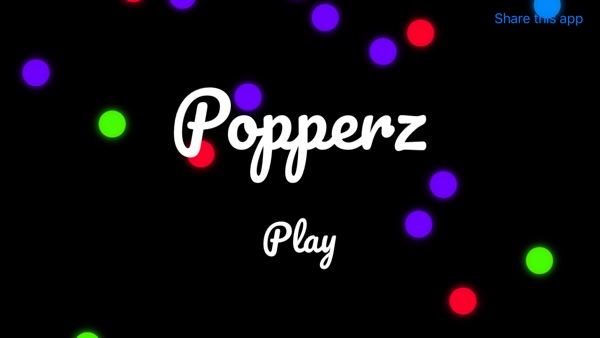
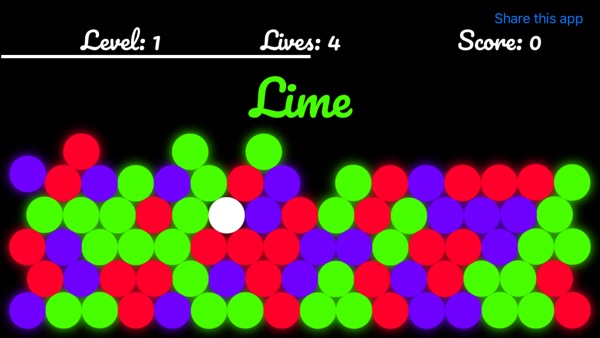
At the time of writing, its App Store listing shows:
Free, in Games (Puzzle, Board) First released in December 2021 3 ratings in the US store, averaging about 3.7 stars Supports iOS 16.0 and later
How the listing maps to this article:
| What the listing says | Where it's covered |
| --- | --- |
| "Simple tap-to-match gameplay" / "Match marbles by color to remove them" | Hit-testing and cluster matching (section 3) |
| "Beautiful visual effects and animations" | Staggered pops and particle bursts (section 4) |
| "Watch the timer - you need to match quickly!" | Pause-safe countdown in update(_:) (section 5) |
| "Lives system" / "Level progression - difficulty increases as you advance" | Lives and a level table (section 6) |
| "Lightning Flash", "Heart", "Bomb" | Power-ups (section 7) |
| "Global leaderboards - compete with players worldwide" | Game Center, covered in my Speck Match article |
The rating average is a useful honest signal for a small game: three ratings is too few to mean much. The way to learn what players struggle with is to watch someone play your first three levels without saying a word.
9. Before you ship a casual game: a checklist
- The timer pauses on pause, on interruptions and in the background, and
dtis clamped on resume. - The UI isn't updated every frame, only when displayed values change.
- Textures are in an atlas and
ignoresSiblingOrderis on. Check the draw count withshowsDrawCountduring development. - Finished emitters and actions are removed. No invisible nodes pile up.
- The difficulty table is data, and each level has been played by someone other than you.
- Taps feel fair. The hit area isn't smaller than the visible marble, and a mis-tap gets clear feedback.
- Colour isn't the only cue. Add patterns or symbols to marbles for colour-blind players.
- Sound respects the silent switch, and there's a mute option.
- Test on the oldest supported device at 60 fps with the maximum marble count.
Wrapping up
A tap-to-match game is a perfect classroom. Physics gives you settling for free. A simple search gives you clusters. A clamped delta gives you an honest clock. A table gives you difficulty. And a few milliseconds of stagger turn "it works" into "it feels good". SpriteKit and SwiftUI together cover all of it with nothing to install.
Play the game, or explore my other work:
Marbles Popperz (iOS): https://apps.apple.com/us/app/marbles-popperz/id1601511276 All of my free iOS apps: https://apps.apple.com/us/developer/alok-singh/id1508795536 My portfolio: https://bestlatestapps.com/alok/
What's your favourite bit of game "juice"? Share it in the comments.
— Alok Kumar Singh
Originally published at <https://bestlatestapps.com/blog/building-a-tap-to-match-marble-game-with-spritekit-and-swiftui/>