Originally published at https://bestlatestapps.com/blog/medication-reminders-that-actually-fire/
Repeating calendar triggers, a notification budget, "Taken" and "Snooze" actions, run-out dates and on-device privacy, from building a pill reminder app
Most apps can afford a missed notification. A medication reminder can't. If the 9 p.m. reminder silently doesn't arrive, someone misses a dose, and they stop trusting the app the same evening.
Daily Pills | Reminder is my take on the simplest version of this problem, live since May 2020: set the times you take your pills, get reminded, see how many you have left and know when you'll run out. The listing sums it up as "Never miss your medication again!" and promises that "your medication data stays private on your device."
That combination, reliable reminders with no server, rests entirely on local notifications, and they have more sharp edges than most developers expect: a hard cap on pending notifications, time-zone behaviour, actions that run while the phone is locked, and data that must be readable at that moment. This article covers how I'd build the core: the data model, repeating triggers, a notification budget, actionable notifications, supply maths and on-device storage. API names and availability are checked against Apple's documentation, and this is the approach I'd use rather than the app's exact source.
1. The model: keep it boring
import Foundation

struct ReminderTime: Codable, Hashable, Identifiable {
    var hour: Int          // 0...23, local wall-clock time
    var minute: Int
    var id: String { String(format: "%02d%02d", hour, minute) }
}

struct Medication: Codable, Identifiable {
    var id = UUID()
    var name: String
    var pillsPerDose: Int = 1
    var times: [ReminderTime]                 // multiple reminders per day
    var pillsRemaining: Int
    var lowSupplyWarningDays: Int = 5
    var log: [DoseEvent] = []
}

struct DoseEvent: Codable, Hashable {
    enum Kind: String, Codable { case taken, missed, skipped }
    var date: Date
    var kind: Kind
}
Two choices to notice:
Reminder times are an hour and a minute, not a Date. "8:00 every morning" is a wall-clock intention. Storing it as a Date bakes in a time zone, and the reminder drifts when the user travels or when daylight saving changes.
The log is append-only. Missed and taken doses are facts. Supply and adherence are computed from them, never stored separately where they could disagree.
2. Repeating reminders with UNCalendarNotificationTrigger
For "every day at 08:00", a single repeating calendar trigger is exactly right:
import UserNotifications

enum ReminderScheduler {
    static let doseCategory = "DOSE_REMINDER"

    static func identifier(for med: Medication, time: ReminderTime) -> String {
        "dose.\(med.id.uuidString).\(time.id)"
    }

    static func schedule(_ med: Medication) async throws {
        let center = UNUserNotificationCenter.current()
        // Start clean for this medication so edits never leave stale reminders behind.
        await cancel(med)

        for time in med.times {
            let content = UNMutableNotificationContent()
            content.title = "Time for \(med.name)"
            content.body = med.pillsPerDose == 1 ? "Take 1 pill." : "Take \(med.pillsPerDose) pills."
            content.sound = .default
            content.categoryIdentifier = doseCategory
            content.userInfo = ["medID": med.id.uuidString, "time": time.id]
            if #available(iOS 15.0, *) {
                content.interruptionLevel = .timeSensitive   // needs the Time Sensitive capability
            }

            // Only hour and minute: fires every day at that local wall-clock time.
            var components = DateComponents()
            components.hour = time.hour
            components.minute = time.minute
            let trigger = UNCalendarNotificationTrigger(dateMatching: components, repeats: true)

            let request = UNNotificationRequest(identifier: identifier(for: med, time: time),
                                                content: content, trigger: trigger)
            try await center.add(request)
        }
    }

    static func cancel(_ med: Medication) async {
        let center = UNUserNotificationCenter.current()
        let ids = await center.pendingNotificationRequests()
            .map(\.identifier)
            .filter { $0.hasPrefix("dose.\(med.id.uuidString).") }
        center.removePendingNotificationRequests(withIdentifiers: ids)
    }
}
What makes this reliable:
Deterministic identifiers. dose.<medID>.<HHmm> means rescheduling replaces rather than duplicates, and cancelling one medication can't touch another's reminders.
Date components without a time zone fire at local wall-clock time. If the user flies from Delhi to London, "08:00" stays 08:00 local, which is usually what a daily pill means. (For medications that must be taken at strict intervals regardless of time zone, that's a different design: talk to the user, and consider fixed-interval triggers.)
.timeSensitive (iOS 15+) lets the reminder break through Focus modes, if the user allows it. It requires adding the Time Sensitive Notifications capability. Use it only for genuinely time-sensitive content, which a dose reminder is.
And of course, ask permission first, at the moment the user adds their first reminder, with requestAuthorization(options: [.alert, .sound, .badge]).
3. The 64-notification limit, and a budget
Here's the trap. iOS keeps only a limited number of pending local notifications per app. Apple's documentation for the older UILocalNotification API states it plainly: the system keeps the soonest-firing 64 notifications and discards the rest. Automatically repeating notifications count as a single notification. The same cap is widely observed with UserNotifications, and it fails silently: add(_:) succeeds and the 65th reminder just never fires.
With repeating triggers, one per medication per time, you're usually fine: 5 medications × 3 times a day is 15 requests. The trouble starts when you schedule one-off notifications: a different message per day ("Day 12 of 30"), weekly schedules built from individual dates, snoozes or low-supply warnings. Each of those is its own slot.
So treat the pending queue as a budget, and check it:
enum NotificationBudget {
    static let systemLimit = 64
    static let safetyMargin = 4          // room for snoozes and low-supply warnings

    /// How many requests we'd have after scheduling `meds`.
    static func projected(for meds: [Medication], extraOneOffs: Int = 0) -> Int {
        meds.reduce(0) { $0 + $1.times.count } + extraOneOffs
    }

    static func canSchedule(_ meds: [Medication], extraOneOffs: Int = 0) -> Bool {
        projected(for: meds, extraOneOffs: extraOneOffs) <= systemLimit - safetyMargin
    }

    /// Debug helper: compare what you *think* is scheduled with what the system has.
    static func audit() async {
        let pending = await UNUserNotificationCenter.current().pendingNotificationRequests()
        print("Pending: \(pending.count) / \(systemLimit)")
        pending.forEach { print(" •", $0.identifier, $0.trigger.map(String.init(describing:)) ?? "-") }
    }
}
If you genuinely need more than the budget allows, for example non-repeating schedules, schedule a rolling window (the next N days) and top it up whenever the app becomes active. Never assume "scheduled once" means "scheduled forever".
4. "Taken" and "Snooze" right from the notification
A reminder you have to unlock the phone and open the app to acknowledge is a reminder people ignore. Register a category with actions:
import UserNotifications

enum DoseActions {
    static let taken = "TAKEN"
    static let snooze = "SNOOZE_10"

    static func register() {
        let takenAction = UNNotificationAction(identifier: taken, title: "Taken", options: [])
        let snoozeAction = UNNotificationAction(identifier: snooze, title: "Snooze 10 min", options: [])
        let category = UNNotificationCategory(identifier: ReminderScheduler.doseCategory,
                                              actions: [takenAction, snoozeAction],
                                              intentIdentifiers: [], options: [])
        UNUserNotificationCenter.current().setNotificationCategories([category])
    }
}

final class NotificationHandler: NSObject, UNUserNotificationCenterDelegate {
    let store: MedicationStore
    init(store: MedicationStore) { self.store = store }

    func userNotificationCenter(_ center: UNUserNotificationCenter,
                                didReceive response: UNNotificationResponse) async {
        let info = response.notification.request.content.userInfo
        guard let idString = info["medID"] as? String, let id = UUID(uuidString: idString) else { return }

        switch response.actionIdentifier {
        case DoseActions.taken, UNNotificationDefaultActionIdentifier:
            store.recordDose(for: id, kind: .taken, at: Date())

        case DoseActions.snooze:
            let content = response.notification.request.content.mutableCopy() as! UNMutableNotificationContent
            let trigger = UNTimeIntervalNotificationTrigger(timeInterval: 10 * 60, repeats: false)
            let request = UNNotificationRequest(identifier: "snooze.\(idString)",   // one snooze per med
                                                content: content, trigger: trigger)
            try? await center.add(request)

        default:
            break
        }
    }
}
Register the categories and set the delegate early, in application(_:didFinishLaunchingWithOptions:) or your App initialiser, because the system may launch your app in the background specifically to handle an action.
Notice the action options are empty: no .foreground (which would open the app) and no .authenticationRequired (which forces an unlock). "Taken" works straight from the Lock Screen. That has a consequence for storage, which section 6 covers.
Using one fixed identifier per medication for snoozes means repeated snoozes replace each other instead of filling your 64-slot budget.
5. Supply maths: pills left, run-out date and a warning
The listing promises you'll "know when your supply will run out" and "get notified before you run out". That's arithmetic on the model, plus one more scheduled notification:
import Foundation

extension Medication {
    var pillsPerDay: Int { pillsPerDose * times.count }

    var daysOfSupplyLeft: Int {
        guard pillsPerDay > 0 else { return .max }
        return pillsRemaining / pillsPerDay
    }

    func runOutDate(from now: Date = Date(), calendar: Calendar = .current) -> Date? {
        guard pillsPerDay > 0 else { return nil }
        return calendar.date(byAdding: .day, value: daysOfSupplyLeft, to: calendar.startOfDay(for: now))
    }

    var missedCount: Int { log.filter { $0.kind == .missed }.count }
}

extension ReminderScheduler {
    /// One-off "running low" reminder at 09:00, `lowSupplyWarningDays` before run-out.
    static func scheduleLowSupplyWarning(for med: Medication, calendar: Calendar = .current) async throws {
        let id = "supply.\(med.id.uuidString)"
        let center = UNUserNotificationCenter.current()
        center.removePendingNotificationRequests(withIdentifiers: [id])

        guard let runOut = med.runOutDate(),
              let warnDay = calendar.date(byAdding: .day, value: -med.lowSupplyWarningDays, to: runOut),
              warnDay > Date() else { return }

        var components = calendar.dateComponents([.year, .month, .day], from: warnDay)
        components.hour = 9
        let content = UNMutableNotificationContent()
        content.title = "Running low on \(med.name)"
        content.body = "About \(med.lowSupplyWarningDays) days left. Time to refill."
        content.sound = .default

        try await center.add(UNNotificationRequest(
            identifier: id, content: content,
            trigger: UNCalendarNotificationTrigger(dateMatching: components, repeats: false)))
    }
}
Recalculate and reschedule the warning whenever supply changes: when a dose is taken, when pills are added, or when the schedule is edited. It's one slot per medication, kept accurate by a fixed identifier.
Missed doses. The system can't tell you a reminder was ignored. When the app becomes active, compare each scheduled time since the last check against the log, and record .missed for any slot without a .taken event within a grace window (say, 2 hours). Then show it honestly and let the user correct it ("I took it, I just didn't tap").
6. Private, on-device storage that works on a locked phone
The listing makes a clear promise: "Your medication data stays private on your device. We don't collect or share your personal health information." The simplest way to keep that promise is to have no server at all: a small Codable file in Application Support.
There's one subtlety. The "Taken" action from section 4 can run while the device is locked. If you save with the strongest file protection (.completeFileProtection), the file is unreadable while locked, and the write fails exactly when the user taps "Taken" on the Lock Screen.
import Foundation

final class MedicationStore {
    private(set) var medications: [Medication] = []
    private let url: URL

    init() {
        let dir = FileManager.default.urls(for: .applicationSupportDirectory, in: .userDomainMask)[0]
        try? FileManager.default.createDirectory(at: dir, withIntermediateDirectories: true)
        url = dir.appendingPathComponent("medications.json")
        load()
    }

    func load() {
        guard let data = try? Data(contentsOf: url) else { return }
        medications = (try? JSONDecoder().decode([Medication].self, from: data)) ?? []
    }

    func save() {
        do {
            let data = try JSONEncoder().encode(medications)
            // Encrypted at rest, but readable after the first unlock since boot,
            // so Lock Screen actions can update it.
            try data.write(to: url, options: [.atomic, .completeFileProtectionUntilFirstUserAuthentication])
        } catch {
            print("Save failed: \(error)")
        }
    }

    func recordDose(for id: UUID, kind: DoseEvent.Kind, at date: Date) {
        guard let i = medications.firstIndex(where: { $0.id == id }) else { return }
        medications[i].log.append(DoseEvent(date: date, kind: kind))
        if kind == .taken {
            medications[i].pillsRemaining = max(0, medications[i].pillsRemaining - medications[i].pillsPerDose)
        }
        save()
    }
}
.completeFileProtectionUntilFirstUserAuthentication (iOS 5+) is the trade-off I'd choose: encrypted when the phone has just rebooted and never been unlocked, and accessible afterwards, so background actions work. Also keep the App Privacy section of your App Store listing consistent with "data not collected", and don't add an analytics SDK that quietly breaks that promise.
7. Real-world example: Daily Pills | Reminder
These are the techniques I'd use, and recommend, for Daily Pills | Reminder.
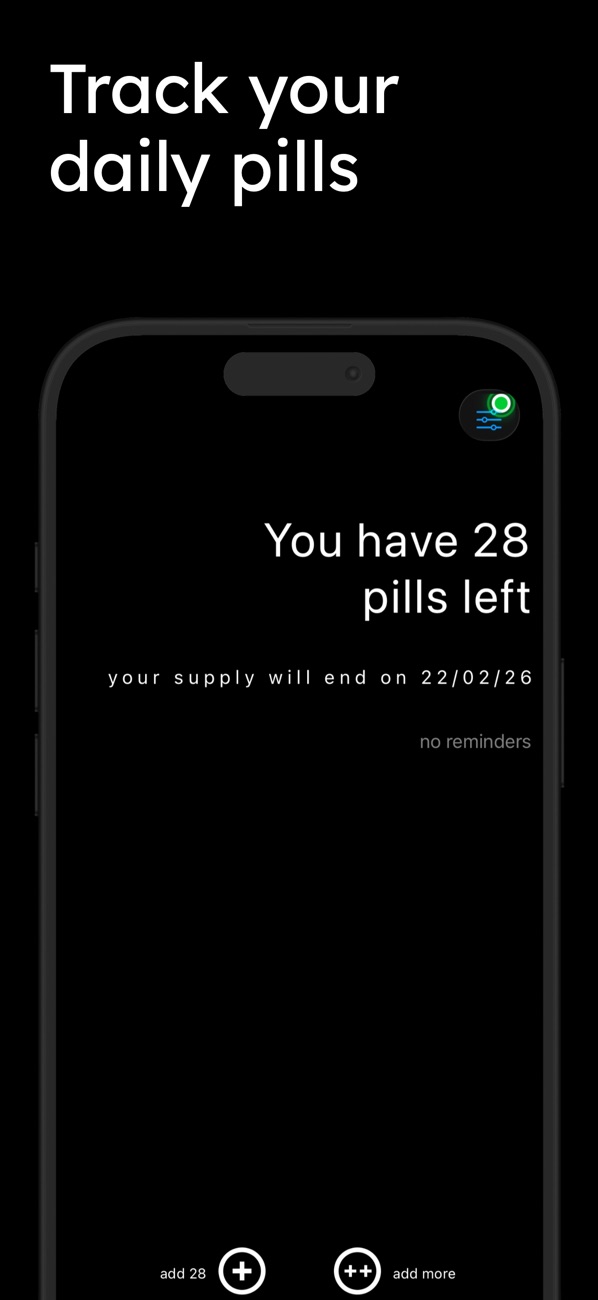
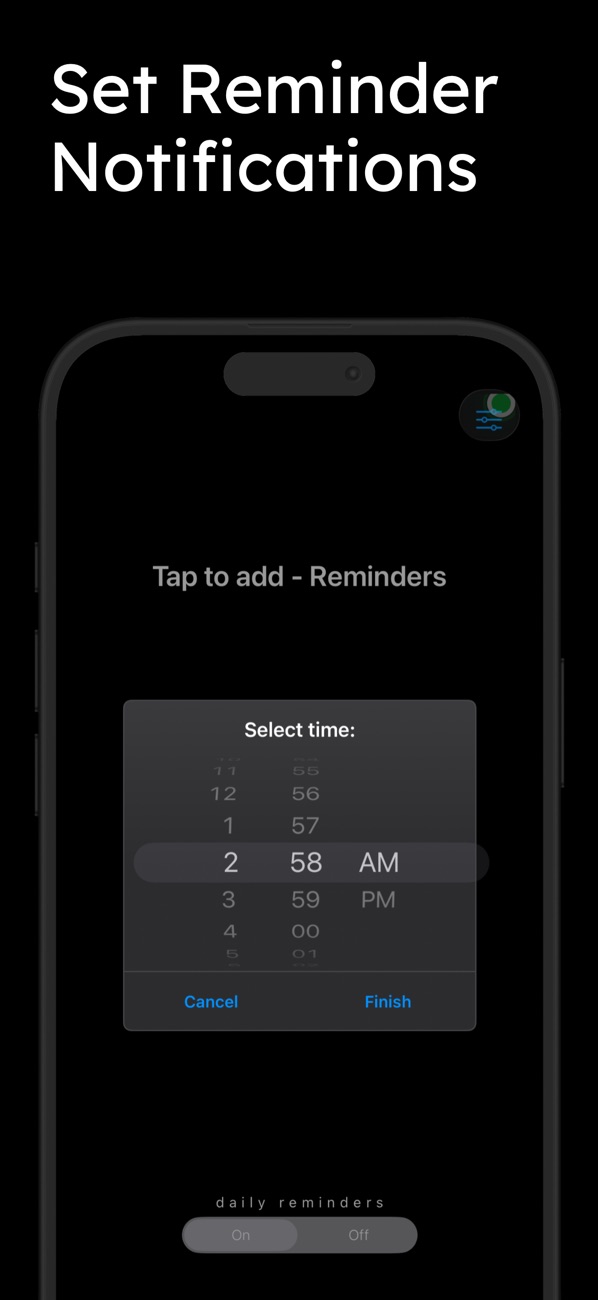
At the time of writing, its App Store listing shows:
Free, in Health & Fitness and Medical First released in May 2020 8 ratings in the US store, averaging about 4.4 stars Supports iOS 16.0 and later
How the listing maps to this article:
| What the listing says | Where it's covered |
| --- | --- |
| "Set daily reminder times that work for you" / "Multiple reminders per day" | One repeating calendar trigger per time, deterministic IDs (section 2) |
| "Never miss a dose" | Time-sensitive delivery, a notification budget, a rolling window if needed (sections 2–3) |
| "Add pills with one tap" / "Mark missed pills instantly" | An append-only dose log; Lock Screen actions (sections 1, 4) |
| "See how many pills you have left" / "Know when your supply will run out" / "Get notified before you run out" | Supply maths and a one-off low-supply warning (section 5) |
| "Your medication data stays private on your device" | Local Codable storage with the right file protection, no server (section 6) |
I also have a second, more feature-rich medication app, Track Your Pills, with barcode scanning, PDF reports for doctors and widgets. I'm writing that one up separately, because its technical story is quite different.
A necessary note for anyone building in this space: a reminder app is a convenience tool, not medical advice. Say so in the app, and never let a bug in your scheduling be the only thing between someone and their medication. Clear, honest UI about what's scheduled helps a lot.
8. Before you ship a reminder app: a checklist
- Permission is requested at the moment of need, and a denied state shows how to enable notifications in Settings.
- Identifiers are deterministic, and edits cancel and reschedule only what they own.
- The pending count is audited. You know how many of the 64 slots you use, with a safety margin.
- Times are wall-clock components, tested across a time-zone change and a daylight-saving change.
- Actions work from the Lock Screen, including right after a reboot, once the phone has been unlocked once.
- Supply and run-out dates are recomputed on every change, and the warning is rescheduled.
- Missed doses are detected on launch and are easy to correct.
- Privacy claims match reality. No hidden analytics, and the App Privacy details are accurate.
- You've tested on a real device over several days. The Simulator won't show you what happens after a week of real use.
Wrapping up
Reliable reminders on iOS come down to a few disciplined habits: repeating calendar triggers with deterministic identifiers, a budget for the 64-notification cap, actions that work from the Lock Screen, and storage that can be written while the phone is locked. Add simple, honest supply maths and you have an app people can rely on.
Try it, or explore my other apps:
Daily Pills | Reminder (iOS): https://apps.apple.com/us/app/daily-pills-reminder/id1510203960 All of my free iOS apps: https://apps.apple.com/us/developer/alok-singh/id1508795536 My portfolio: https://bestlatestapps.com/alok/
Have you hit the 64-notification limit in production? I'd love to hear how you discovered it. Tell me in the comments.
— Alok Kumar Singh
Originally published at <https://bestlatestapps.com/blog/medication-reminders-that-actually-fire/>